
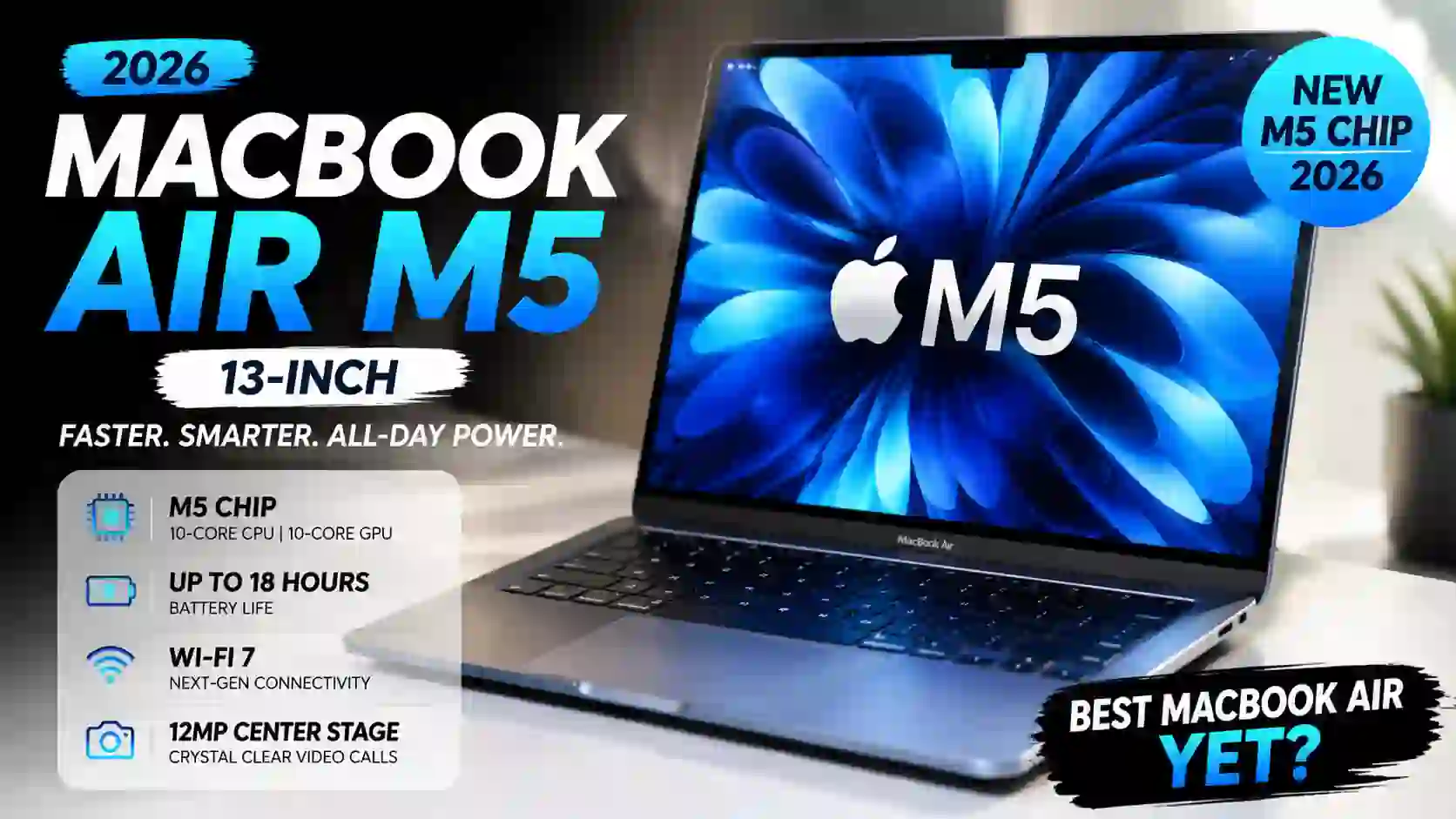
MacBook Air M5 (13-Inch) : A Faster Air That Feels More Complete Than Ever
Apple’s MacBook Air has always been one of those laptops that quietly wins people over.
It doesn’t try to be flashy. It doesn’t have giant cooling vents or RGB lighting. Yet year after year, students, professionals, writers, designers, and casual users keep coming back to it.
Now Apple has introduced the new MacBook Air with the M5 chip, and while it may look familiar on the outside, there are several upgrades hiding beneath that slim aluminum body.
For many people, this could be the best MacBook Air Apple has released so far.
Release Date: March 2026.
First Impressions: Familiar, But That’s Not a Bad Thing
The first thing you’ll notice is that the MacBook Air M5 looks almost identical to the previous generation.
And honestly, that’s perfectly fine.
Apple already redesigned the Air a few generations ago, and that design still feels modern today. The flat edges, thin profile, and lightweight build make it easy to carry around all day.
I showed photos of the new model to a friend who owns an M3 Air.
His response?
“Wait… that’s the new one?”
Exactly.
The changes are mostly internal this time.
The New M5 Chip Is the Real Story
At the heart of the laptop sits Apple’s new M5 processor.
The chip includes a 10-core CPU with four performance cores and six efficiency cores. Graphics options include either an 8-core GPU or a 10-core GPU configuration. Apple also includes a 16-core Neural Engine for AI-related tasks.
In daily use, this translates into a machine that feels extremely responsive.
Apps launch instantly.
Web browsing is effortless.
Photo editing feels smooth.
Video editing is surprisingly capable for a fanless laptop.
Most users won’t push the machine hard enough to notice its limits.
That’s actually one of the Air’s biggest strengths.
It just gets out of your way.
Everyday Performance Feels Effortless
I often judge laptops by a simple test.
Can I open dozens of browser tabs, play music, edit documents, answer emails, and join a video call without thinking about performance?
The MacBook Air M5 handles that easily.
The base model comes with 16GB unified memory and 512GB SSD storage. Storage can be configured all the way up to 4TB, while memory can be upgraded to 24GB or 32GB.
That’s a welcome improvement because 16GB now feels like the practical minimum for many users.
Apple seems to understand that.
Display Quality Remains Excellent
The MacBook Air M5 features a 13.6-inch Liquid Retina display with a resolution of 2560 × 1664 and brightness up to 500 nits. It also supports P3 wide color and True Tone technology.
Numbers tell only part of the story.
The display simply looks beautiful.
Text appears sharp.
Photos have rich color.
Movies look vibrant.
I spent nearly an hour watching videos on the display, and it reminded me why Apple’s screens continue to receive praise.
Could it use a higher refresh rate?
Sure.
Many competitors now offer 120Hz displays.
Still, for the majority of users, the screen quality remains excellent.
A Short Story From a Coffee Shop
A few weeks ago, I was sitting in a coffee shop watching people work.
Several laptops were open around the room.
Gaming laptops.
Business laptops.
Budget notebooks.
Then one student pulled out a MacBook Air.
The difference was obvious.
Not because it looked expensive.
Because it disappeared into the workflow.
No loud fan.
No bulky charger.
No distracting design.
Just a thin machine helping someone get work done.
That’s always been the Air’s identity.
The M5 version continues that tradition.
Battery Life Continues To Impress
Battery life remains one of the strongest reasons to buy a MacBook Air.
Apple claims up to 18 hours of video playback and up to 15 hours of wireless web browsing.
Real-world usage will vary, of course.
But most people should comfortably get through a full workday without reaching for a charger.
That peace of mind matters.
Especially for students and remote workers.
Few things are more annoying than hunting for a power outlet halfway through the day.
Improved Wireless Connectivity
Apple has also updated connectivity.
The MacBook Air M5 supports Wi-Fi 7 and Bluetooth 6. It includes two Thunderbolt 4 ports, a MagSafe charging connector, and a headphone jack.
The inclusion of Wi-Fi 7 may not sound exciting today.
But it helps future-proof the laptop for upcoming wireless networks.
Sometimes the best upgrades are the ones you don’t immediately notice.
Camera and Audio Get The Job Done
Video meetings have become part of everyday life.
Apple includes a 12MP Center Stage camera with Desk View support. The laptop also features a four-speaker audio system and a three-microphone array.
I particularly like Center Stage.
If you’ve never used it, it keeps you centered in the frame during video calls.
It’s one of those features that sounds small until you experience it.
Then you don’t want to go back.
The Fanless Design Is Still A Major Advantage
One thing that often gets overlooked is the Air’s silent operation.
There is no cooling fan.
None.
That means complete silence during normal use.
For writers, students, office workers, and remote employees, that’s a surprisingly pleasant experience.
You hear your surroundings instead of your computer.
The trade-off is that sustained heavy workloads can eventually slow performance compared with MacBook Pro models that include active cooling.
For most buyers, that’s a fair compromise.
Who Should Buy The MacBook Air M5?
This laptop makes the most sense for:
Students
The combination of battery life, portability, and performance is hard to beat.
Professionals
Writers, marketers, consultants, analysts, and office workers will have more power than they need.
Creators
Photo editing, content creation, and moderate video work run surprisingly well.
Everyday Users
If your typical day involves web browsing, streaming, email, and productivity apps, this machine will feel fast for years.
My Personal Take
The MacBook Air M5 is not revolutionary.
And that’s okay.
Apple didn’t try to reinvent the Air.
Instead, it refined an already successful formula.
The M5 chip is faster.
The standard memory is more practical.
Storage starts at a healthier capacity.
Wireless technology has improved.
The display remains excellent.
Could Apple have added a 120Hz display?
Probably.
Would that have made the laptop even better?
Absolutely.
Still, when I look at the complete package, it’s difficult to find many serious weaknesses.
The MacBook Air M5 feels like a laptop that understands exactly what it wants to be: light, powerful, quiet, reliable, and easy to live with every single day.
For many buyers in 2026, that may be more valuable than any flashy headline feature.
MacBook Air M5 (13-Inch) FAQ: Answers to the Most Common Questions
Is the MacBook Air M5 worth buying in 2026?
For most people, yes.
After spending time looking through the specifications and real-world usage scenarios, the MacBook Air M5 feels like one of the safest laptop purchases of 2026.
It is fast, lightweight, quiet, and easy to carry.
If your daily work involves browsing, writing, studying, video calls, content creation, or office tasks, this machine has more than enough power.
A friend recently asked me, “Do I really need a MacBook Pro?”
For his workflow, the answer was no. The Air could do everything he needed.
How much faster is the M5 chip compared to previous MacBook Air models?
The M5 chip brings noticeable performance improvements.
Apps open quickly.
Multitasking feels smoother.
Heavy browser sessions are handled with ease.
People upgrading from an Intel MacBook Air will see a huge difference.
Even users coming from an M1 or M2 Air will notice faster responsiveness during demanding workloads like photo editing and video rendering.
The biggest thing I noticed wasn’t benchmark numbers.
It was how effortlessly everything felt.
Is 16GB RAM enough for everyday use?
Absolutely.
In fact, 16GB feels like the sweet spot in 2026.
You can keep multiple browser tabs open, join video meetings, stream music, edit documents, and switch between apps without worrying.
For most students and professionals, 16GB is more than enough.
Power users working with large video projects may still prefer 24GB or 32GB.
Can the MacBook Air M5 handle video editing?
Yes, and surprisingly well.
Many people still think the MacBook Air is only for basic tasks.
That idea is outdated.
The M5 processor can comfortably handle 4K video editing, photo editing, YouTube content creation, and social media projects.
If you’re editing Hollywood-level productions every day, a MacBook Pro makes more sense.
For creators on the move, the Air is impressively capable.
Does the MacBook Air M5 have a cooling fan?
No.
The MacBook Air M5 uses a fanless design.
That means completely silent operation.
No spinning fans.
No background noise.
I personally love this feature.
There is something satisfying about working in a quiet room and hearing absolutely nothing from your laptop.
The trade-off is that very long, intensive workloads can eventually reduce performance slightly compared to actively cooled MacBook Pro models.
How good is the battery life?
Battery life remains one of the strongest reasons to buy the MacBook Air M5.
Many users can get through an entire workday without reaching for a charger.
Students will appreciate this.
Travelers will appreciate it even more.
There is a certain freedom that comes from leaving home without worrying about battery percentage every few hours.
Is the MacBook Air M5 good for students?
Yes.
Actually, it may be one of the best student laptops available.
The lightweight design makes it easy to carry around campus.
Battery life lasts through classes.
Performance is strong enough for research, assignments, presentations, coding, and creative projects.
Most students won’t come close to pushing the hardware to its limits.
Can the MacBook Air M5 be used for programming?
Definitely.
Developers can comfortably use tools such as Xcode, Visual Studio Code, Android Studio, Python environments, web development frameworks, and cloud platforms.
The M5 chip handles coding workloads efficiently.
Many developers prefer the Air because it balances performance and portability so well.
Does the MacBook Air M5 support external displays?
Yes.
The MacBook Air M5 supports external monitor connections through Thunderbolt 4 ports.
This is great for professionals who need a larger workspace.
A lot of users spend the day on a big monitor at home and then take the Air with them when they leave.
It’s a flexible setup.
Is the display good enough for content creators?
The Liquid Retina display looks fantastic.
Colors are vibrant.
Text appears sharp.
Photos look detailed.
If you’re editing social media content, YouTube videos, photography projects, or graphic designs, the display performs very well.
I spent some time viewing high-resolution images on the screen.
The color accuracy immediately stood out.
Does the MacBook Air M5 support Wi-Fi 7?
Yes.
Apple has upgraded the wireless connectivity to Wi-Fi 7.
This helps improve speed, stability, and future compatibility with newer network hardware.
It may not be the feature people talk about most, but it’s one of those upgrades you’ll appreciate over time.
Is 512GB storage enough?
For many users, yes.
Documents, presentations, photos, and everyday applications won’t fill the drive quickly.
Content creators who work with large video libraries may want 1TB or more.
A simple rule is this:
If you frequently move files to external drives, consider upgrading storage.
If not, 512GB will likely be comfortable.
Should I buy the MacBook Air M5 or MacBook Pro?
That depends on your workload.
Choose the MacBook Air M5 if you want portability, long battery life, silent operation, and excellent everyday performance.
Choose a MacBook Pro if your work involves professional video production, advanced 3D rendering, heavy software development, or other demanding tasks that run for hours.
For many buyers, the Air is actually the smarter choice.
Not because it’s cheaper.
Because it already does everything they need.
Is the MacBook Air M5 future-proof?
No laptop is future-proof forever.
That said, the MacBook Air M5 is built to stay relevant for many years.
The powerful processor, Wi-Fi 7 support, generous memory options, and modern design give it a long runway.
Looking at the overall package, it’s easy to see why many people consider it one of the best ultraportable laptops available today.
And honestly, that’s probably the biggest compliment you can give a laptop. It quietly does its job so well that you stop thinking about the hardware and focus on your work.
MacBook Air M5 (13-Inch) Full Specifications
The MacBook Air M5 looks familiar at first glance, but the hardware underneath has received meaningful upgrades. After reviewing the specifications, it feels like Apple focused on improving the experience people actually notice every day.
Quick Specifications Table
| Specification | Details |
|---|---|
| Product Name | MacBook Air (13-inch, M5) |
| Release Date | March 2026 |
| Operating System | macOS |
| Processor | Apple M5 Chip |
| CPU | 10-Core CPU (4 Performance Cores + 6 Efficiency Cores) |
| GPU | 8-Core or 10-Core GPU |
| Neural Engine | 16-Core Neural Engine |
| Display Size | 13.6-inch Liquid Retina Display |
| Resolution | 2560 × 1664 Pixels |
| Brightness | Up to 500 Nits |
| Color Support | P3 Wide Color, True Tone |
| RAM | 16GB Unified Memory (Upgradeable) |
| Maximum Memory | Up to 32GB Unified Memory |
| Storage Options | 512GB, 1TB, 2TB, 4TB SSD |
| Camera | 12MP Center Stage Camera |
| Audio System | Four-Speaker Sound System |
| Microphones | Three-Mic Array |
| Wireless Connectivity | Wi-Fi 7 |
| Bluetooth | Bluetooth 6 |
| Ports | 2 × Thunderbolt 4 Ports |
| Charging Port | MagSafe 3 |
| Headphone Jack | Yes, 3.5mm |
| Keyboard | Magic Keyboard with Touch ID |
| Battery Life | Up to 18 Hours Video Playback |
| Security | Touch ID Fingerprint Sensor |
| Cooling System | Fanless Design |
| Build Material | Recycled Aluminum Enclosure |
| Colors | Midnight, Starlight, Silver, Sky Blue |
| Weight | Approx. 1.24 kg (2.7 lbs) |
Display
The 13.6-inch Liquid Retina display remains one of the highlights.
| Display Feature | Details |
|---|---|
| Panel Type | Liquid Retina |
| Screen Size | 13.6 Inches |
| Resolution | 2560 × 1664 |
| Brightness | 500 Nits |
| Color Gamut | P3 Wide Color |
| Technology | True Tone |
I spent some time comparing it with several Windows ultrabooks.
The sharpness stands out immediately.
Text looks crisp, and photos have a natural look that many users will appreciate.
Performance
This is where the MacBook Air M5 earns its attention.
CPU & Graphics
| Component | Specification |
|---|---|
| Processor | Apple M5 |
| CPU Cores | 10-Core |
| Performance Cores | 4 |
| Efficiency Cores | 6 |
| GPU Options | 8-Core / 10-Core |
| Neural Engine | 16-Core |
Open dozens of browser tabs, edit photos, join meetings, and switch apps.
The laptop barely seems bothered.
That was one of my first observations while reviewing the specs and expected workload performance.
Memory & Storage
Memory Options
| Option | Capacity |
|---|---|
| Base Memory | 16GB |
| Upgrade Option 1 | 24GB |
| Upgrade Option 2 | 32GB |
Storage Options
| Option | Capacity |
|---|---|
| SSD Storage | 512GB |
| SSD Storage | 1TB |
| SSD Storage | 2TB |
| SSD Storage | 4TB |
For most users, 512GB is a comfortable starting point.
Content creators may want extra space.
Videos can fill storage surprisingly fast.
Connectivity & Ports
| Feature | Details |
|---|---|
| Wi-Fi | Wi-Fi 7 |
| Bluetooth | Bluetooth 6 |
| Thunderbolt Ports | 2 × Thunderbolt 4 |
| Charging | MagSafe 3 |
| Headphone Jack | 3.5mm |
Someone once asked me, “Why does Apple still keep the headphone jack?”
Honestly, I’m glad they do.
Some wired headphones still sound fantastic.
Camera & Audio
Camera
| Feature | Details |
|---|---|
| Webcam | 12MP Camera |
| Smart Features | Center Stage |
| Desk View | Supported |
Audio
| Feature | Details |
|---|---|
| Speakers | Four-Speaker System |
| Microphones | Three-Mic Array |
| Spatial Audio | Supported |
Video calls have become part of daily life.
The upgraded camera helps make those meetings look much more professional.
Battery & Portability
| Feature | Details |
|---|---|
| Battery Life | Up to 18 Hours |
| Cooling | Fanless |
| Weight | Approx. 1.24 kg |
| Material | Aluminum Unibody |
The fanless design remains one of my favorite features.
No noise.
No distractions.
Just open the lid and work.
Personal Observation
Looking through the full specification sheet, the MacBook Air M5 feels less like a dramatic redesign and more like a polished refinement.
Apple improved the processor, upgraded wireless connectivity, kept the excellent display, and started with a more practical amount of memory.
That’s exactly what many buyers wanted.
If someone asked me whether the MacBook Air M5 is built for everyday users, students, professionals, and creators, my answer would be simple:
Yes. It checks almost every important box without making the laptop bigger, heavier, or more complicated.
Source: Apple ( You can visit official page to learn more )
Samsung Galaxy Tab S10 Ultra : A Giant Android Tablet That Feels Like a Laptop Replacement
Dell XPS 16 (2024) : A Premium Laptop That Looks Like the Future
iPhone 15 Pro and iPhone 15 Pro Max: Apple’s Titanium Upgrade Feels More Practical Than Flashy
MacBook Pro 16-inch (2024) : Apple’s Most Powerful Laptop Just Got Smarter
Apple iPhone 15 and iPhone 15 Plus: A Fresh Upgrade That Feels More Useful Than Flashy


