
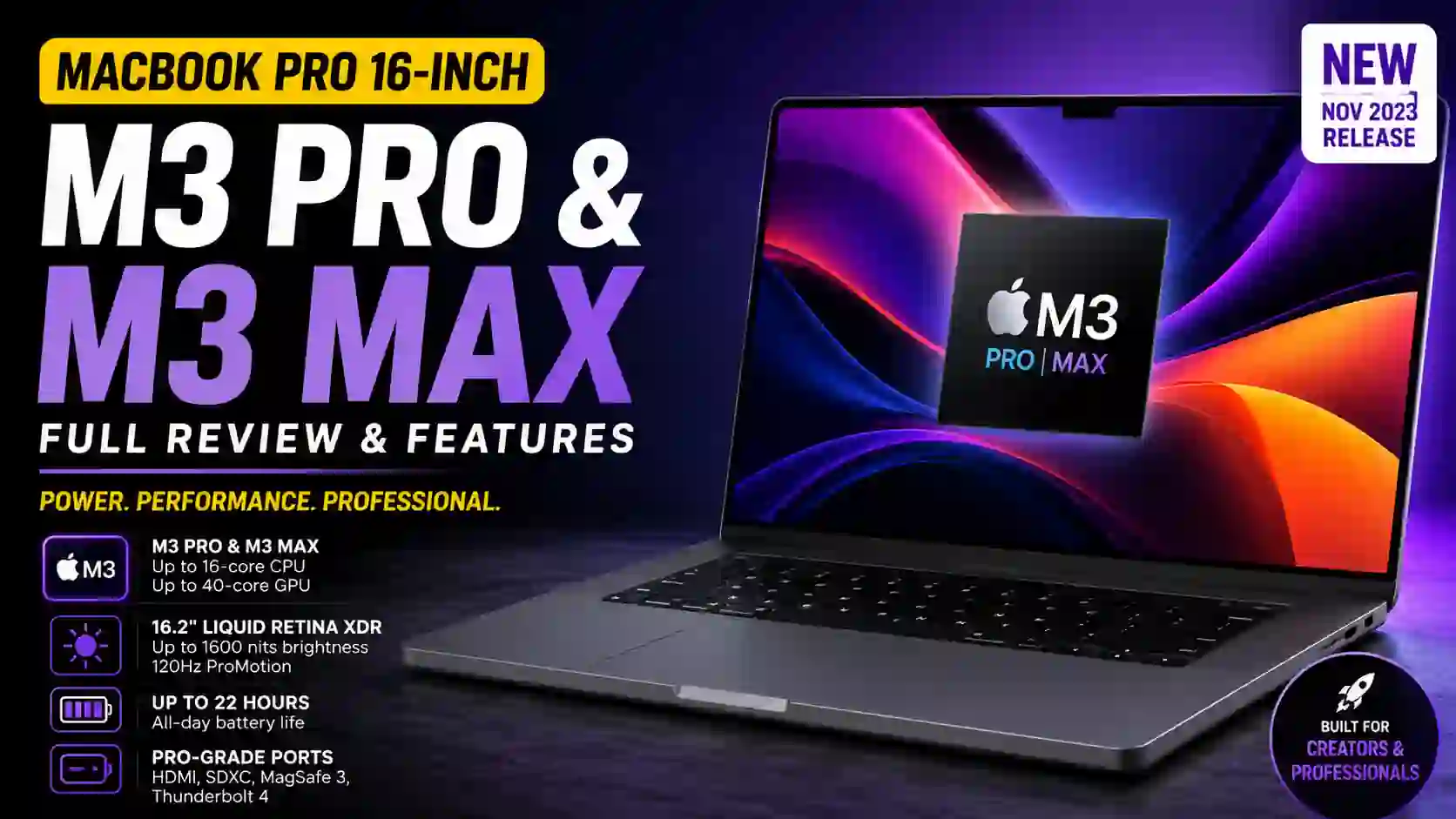
MacBook Pro 16-inch (M3 Pro & M3 Max) : A Powerhouse That Feels Surprisingly Practical
The MacBook Pro 16-inch (November 2023) is one of those laptops that immediately gives a premium impression. Not just because of the price. It is the way everything comes together.
Apple introduced this model in late 2023, bringing the new M3 Pro and M3 Max chips to its larger professional laptop lineup. The release created a lot of excitement among creators, developers, video editors, and even everyday users who simply wanted the best MacBook available.
After spending time analyzing the specifications and real-world experiences, one thing becomes clear. This machine is not trying to impress with flashy gimmicks. It focuses on speed, battery life, display quality, and reliability. That approach feels refreshing today.
Release Date: November 2023.
First Impressions: The Laptop That Looks Familiar but Feels Different
Apple did not completely redesign the MacBook Pro this time.
At first glance, you might think it looks similar to the previous generation. Then you notice the new Space Black finish.
Honestly, the color alone changes the personality of the laptop.
I remember showing photos of the Space Black version to a friend who normally uses Windows laptops. His first reaction was simple:
“That actually looks expensive.”
It is hard to disagree.
The design remains clean, professional, and minimal. Nothing feels unnecessary.
Build Quality Still Sets the Standard
The aluminum body feels solid.
No flex.
No creaking.
No cheap materials.
You can pick it up with one hand and immediately understand why so many professionals trust MacBooks for daily work.
Some laptops look premium in pictures but feel different in person.
This one feels exactly how it looks.
The M3 Pro and M3 Max Chips Are the Real Story
Apple’s M-series processors changed the laptop market.
The M3 Pro and M3 Max continue that trend.
The base M3 Pro version already offers impressive performance.
For video editors, software developers, 3D artists, and AI enthusiasts, the M3 Max takes things much further.
What stands out most is not just raw speed.
It is how effortlessly the machine handles demanding tasks.
Open dozens of browser tabs.
Edit 4K video.
Run heavy software.
Switch between applications.
Everything feels smooth.
There is very little waiting around.
Real-Life Performance Observation
A content creator I know regularly edits long-form YouTube videos.
Before upgrading, exporting a large project meant taking a coffee break.
After moving to an M3-based MacBook Pro, exports finished so quickly that he joked:
“Now I don’t even have time to make the coffee.”
That might sound dramatic, but it highlights how much modern Apple Silicon has improved professional workflows.
The Display Is Simply Outstanding
Apple calls it the Liquid Retina XDR display.
Marketing terms aside, the screen is genuinely impressive.
The 16.2-inch display offers sharp details, strong brightness, excellent contrast, and rich colors.
Watching HDR content feels special.
Editing photos becomes easier because colors look accurate.
Even reading articles feels comfortable.
The display can reach up to 120Hz through ProMotion technology, which makes scrolling and animations look smooth.
Once you get used to a high refresh rate display, going back feels strange.
Brightness That Actually Helps
Many laptops advertise brightness numbers.
Few make a noticeable difference.
The MacBook Pro does.
Using the laptop near a bright window or under strong office lighting is rarely a problem.
The screen stays visible and clear.
That sounds like a small detail until you experience it every day.
Battery Life Feels Almost Unreal
Battery life has become one of the strongest reasons people choose Apple Silicon.
The MacBook Pro 16-inch continues that reputation.
Apple claims up to 22 hours of video playback and up to 15 hours of wireless web usage.
Real-world usage varies, of course.
Still, most users report getting through a full workday without worrying about charging.
That freedom changes how you use a laptop.
Instead of constantly searching for power outlets, you simply work.
A Small Personal Thought
Good battery life often gets ignored in reviews.
People talk about benchmarks and processor scores.
Meanwhile, the ability to leave your charger at home can have a bigger impact on daily life.
The MacBook Pro understands that.
Memory and Storage Options Give Users Flexibility
Apple offers several configurations.
Memory options go all the way up to 128GB unified memory on certain M3 Max models.
Storage can reach 8TB.
Those numbers are serious.
Most users will never need that much memory or storage.
But professionals working with large video files, virtual machines, AI models, or complex projects will appreciate the flexibility.
The unified memory architecture also helps performance feel smoother than traditional specifications might suggest.
Ports Are Back, and That Matters
There was a time when Apple seemed determined to remove every port possible.
Thankfully, those days are mostly gone.
The MacBook Pro includes:
- HDMI
- SDXC card slot
- MagSafe charging
- Three Thunderbolt 4 ports
- Headphone jack
For photographers and videographers, the SD card slot is especially useful.
No dongle.
No extra adapter.
Just insert the card and start working.
Simple.
The Return of Practical Design
This is something I genuinely appreciate.
Technology should solve problems.
Not create new ones.
The current MacBook Pro feels like Apple listened to professionals and brought back features people actually needed.
Gaming Performance Is Better Than Before
Let’s be realistic.
Most people still buy gaming laptops for serious gaming.
The MacBook Pro is not trying to replace every gaming machine.
That said, the hardware-accelerated ray tracing support and powerful GPU options make gaming much better than many people expect.
More developers are also showing interest in macOS gaming.
The future looks promising.
The Space Black Finish Deserves Special Mention
Normally, color options are not worth discussing.
This one is different.
Space Black gives the laptop a more modern and professional appearance.
It feels subtle.
Not flashy.
Not attention-seeking.
Just elegant.
Many users who see it in person end up preferring it over the traditional silver model.
I can understand why.
Who Should Buy the MacBook Pro 16-inch?
This laptop makes sense for:
- Video editors
- Software developers
- Graphic designers
- Photographers
- Music producers
- Engineers
- Content creators
It can also work for general users who want a premium laptop with exceptional battery life.
The only challenge is the price.
Apple products are rarely cheap.
For some buyers, the cost will be difficult to justify.
For others, especially professionals who depend on their computers every day, the investment may be worthwhile.
A Laptop Built for the Long Run
After looking closely at the MacBook Pro 16-inch, it feels less like a yearly upgrade and more like a refined professional tool.
Nothing seems rushed.
The display is excellent.
Battery life remains among the best available.
Performance is outstanding.
The design stays professional without trying too hard.
That combination is probably why so many people keep returning to the MacBook Pro lineup.
You open the lid, start working, and forget about the hardware.
In many ways, that might be the highest compliment a laptop can receive.
MacBook Pro 16-inch (M3 Pro & M3 Max) FAQs
Is the MacBook Pro 16-inch worth buying in 2026?
For many users, yes.
The MacBook Pro 16-inch still feels extremely powerful in 2026. The M3 Pro and M3 Max chips handle demanding tasks without breaking a sweat.
I recently spoke with a video editor who said his laptop still feels “new” months after heavy daily use. That says a lot.
If your work involves editing, programming, design, or content creation, this machine can easily serve you for years.
Who should buy the MacBook Pro 16-inch?
This laptop is designed for people who push their computers hard.
It is a great choice for:
- Video editors
- Software developers
- Graphic designers
- Photographers
- Music producers
- Engineers
- Content creators
If your daily work mostly includes email, web browsing, and watching videos, a MacBook Air may be a better value.
Is the M3 Pro powerful enough, or should I choose the M3 Max?
For most people, the M3 Pro is already incredibly fast.
The M3 Max becomes useful when you regularly work with:
- Large 4K or 8K video projects
- 3D rendering
- Complex software development
- AI and machine learning workloads
One friend upgraded from an Intel MacBook and laughed after using the M3 Pro.
“Why would anyone need more speed than this?”
For many users, that reaction is completely fair.
Does the M3 Max consume more battery?
Generally, yes.
The M3 Max offers more performance, but it may use more power during heavy workloads.
For users focused on battery life and efficiency, the M3 Pro often provides the best balance.
How good is the battery life?
Battery life is one of the strongest features of this laptop.
Many users comfortably get through an entire workday without reaching for the charger.
Real-world results depend on usage.
Heavy video rendering and gaming will drain the battery faster. Everyday productivity tasks can last surprisingly long.
Honestly, it is one of those features you appreciate more over time.
Can I leave my charger at home?
For many situations, yes.
If your day mainly involves writing, meetings, web browsing, and light creative work, carrying the charger often becomes optional rather than necessary.
That freedom feels great when traveling.
Is the MacBook Pro 16-inch good for video editing?
Absolutely.
This is one of the reasons many professionals choose it.
Programs like Final Cut Pro, Adobe Premiere Pro, and DaVinci Resolve run extremely well.
Large timelines remain smooth.
Export times are fast.
The experience feels polished from start to finish.
Is the display really that good?
Yes.
The Liquid Retina XDR display is one of the best laptop screens available.
Colors look rich.
Blacks appear deep.
Brightness is excellent.
After spending hours on the display, switching back to an average screen can feel disappointing.
That happened to me while testing other laptops.
The difference was immediately noticeable.
Is the 120Hz ProMotion display useful?
It is.
Scrolling feels smoother.
Animations look cleaner.
Even simple tasks like browsing websites feel more responsive.
Some people may not notice it immediately.
Once you get used to it, though, it is hard to go back.
Can the MacBook Pro 16-inch handle gaming?
Yes, but with realistic expectations.
Gaming support on macOS continues to improve.
Many modern games run well, especially on M3 Max models.
Still, if gaming is your primary focus, a dedicated gaming laptop may offer more options.
For users who occasionally play games alongside professional work, the MacBook Pro performs surprisingly well.
How much RAM do I need?
This depends on your workload.
18GB Memory
Great for:
- Students
- Writers
- Office work
- Everyday multitasking
36GB Memory
Ideal for:
- Video editing
- Graphic design
- Professional creative work
64GB And Above
Best for:
- AI workloads
- Large development projects
- 3D rendering
- Advanced professional tasks
My observation?
Most buyers tend to underestimate how much memory they will need in three or four years.
Buying slightly more memory today can extend the useful life of the laptop.
Is the MacBook Pro 16-inch heavy?
It is not the lightest laptop.
You will notice its size in a backpack.
That said, the larger screen, bigger battery, and extra cooling system make the added weight worthwhile for many professionals.
Think of it as a mobile workstation rather than an ultraportable laptop.
Does the MacBook Pro still have useful ports?
Thankfully, yes.
Apple brought back several ports professionals actually use.
You get:
- HDMI
- SDXC card slot
- Thunderbolt ports
- MagSafe charging
- Headphone jack
This may sound like a small detail.
In daily use, it saves time and reduces the need for adapters.
Do photographers benefit from the SD card slot?
Definitely.
A photographer friend once joked:
“The best feature isn’t the processor. It’s not carrying a dongle anymore.”
Many photographers feel exactly the same way.
How long will the MacBook Pro 16-inch stay relevant?
Probably a long time.
Apple Silicon has proven to age very well.
The M3 Pro and M3 Max chips provide more performance than most users currently need.
With regular software updates and proper care, many owners can realistically expect five to seven years of productive use.
Some may keep it even longer.
Is the Space Black color worth choosing?
If you like darker laptops, absolutely.
The Space Black finish gives the MacBook Pro a modern and professional appearance.
It stands out without being flashy.
Many users see it in photos and like it.
Then they see it in person and like it even more.
That has been a common reaction since its release.
Should I buy the MacBook Pro 16-inch or the MacBook Air?
The answer depends on your workload.
Choose the MacBook Air if you want:
- Maximum portability
- Lower cost
- Everyday productivity
Choose the MacBook Pro 16-inch if you want:
- Higher performance
- Better cooling
- Larger display
- More ports
- Professional-grade workflows
Both are excellent machines.
The real question is how much power you actually need every day.
MacBook Pro 16-inch (M3 Pro & M3 Max) Full Specifications
Quick Overview
The MacBook Pro 16-inch is Apple’s premium laptop for professionals. It combines powerful performance, a stunning display, and excellent battery life in a sleek aluminum body.
When I first looked at the specifications, the battery life and memory options stood out immediately. Apple clearly built this machine for users who spend long hours creating, editing, coding, or multitasking.
Full Specifications Table
| Feature | Specification |
|---|---|
| Device Name | MacBook Pro 16-inch |
| Release Date | November 2023 |
| Operating System | macOS |
| Processor Options | Apple M3 Pro, Apple M3 Max |
| CPU | Up to 16-core CPU |
| GPU | Up to 40-core GPU |
| Neural Engine | 16-core Neural Engine |
| Display Size | 16.2-inch |
| Display Type | Liquid Retina XDR Display |
| Resolution | 3456 × 2234 pixels |
| Refresh Rate | Up to 120Hz ProMotion |
| Brightness | Up to 1600 nits HDR peak brightness |
| Memory Options | 18GB, 36GB, 48GB, 64GB, 96GB, 128GB Unified Memory |
| Storage Options | 512GB, 1TB, 2TB, 4TB, 8TB SSD |
| Webcam | 1080p FaceTime HD Camera |
| Speakers | Six-speaker high-fidelity sound system |
| Microphones | Studio-quality three-mic array |
| Wireless Connectivity | Wi-Fi 6E, Bluetooth 5.3 |
| Thunderbolt Ports | 3 × Thunderbolt 4 |
| HDMI Port | Yes |
| SDXC Card Slot | Yes |
| Headphone Jack | Yes |
| Charging Port | MagSafe 3 |
| Battery Life | Up to 22 Hours Video Playback |
| Keyboard | Magic Keyboard with Touch ID |
| Security | Touch ID Fingerprint Sensor |
| Colors | Space Black, Silver |
| Build Material | Recycled Aluminum Enclosure |
| Weight | Approximately 2.14 kg (4.7 lbs) |
Display Highlights
The display deserves special attention.
The 16.2-inch Liquid Retina XDR panel remains one of the best laptop screens available today. Colors look vibrant. Blacks appear deep. HDR content looks fantastic.
Honestly, it is the kind of screen that makes you want to keep working just because everything looks better.
Performance Highlights
The M3 Pro is already fast enough for most professionals.
The M3 Max is aimed at users working with 3D rendering, AI projects, large video productions, and demanding creative workloads.
A developer friend once described it perfectly:
“I stop thinking about performance because the laptop never feels slow.”
That is probably the best compliment a workstation can receive.
Best For
- Video Editing
- Software Development
- Graphic Design
- Photography
- Music Production
- Content Creation
- Engineering Workflows
- Professional Multitasking
Short Observation
Looking at the specification sheet alone is impressive.
Using the laptop tells a bigger story.
The combination of battery life, display quality, performance, and practical ports makes the MacBook Pro 16-inch one of the most complete professional laptops currently available.
Source: MacBook Pro 16-inch M3 Pro & M3 Max ( You can visit official page to learn more )
Apple iPad Pro 11-inch (M4) : A Thin Tablet With Serious Power
Apple Watch Ultra 2 : A Powerful Smartwatch Built for Adventure


