
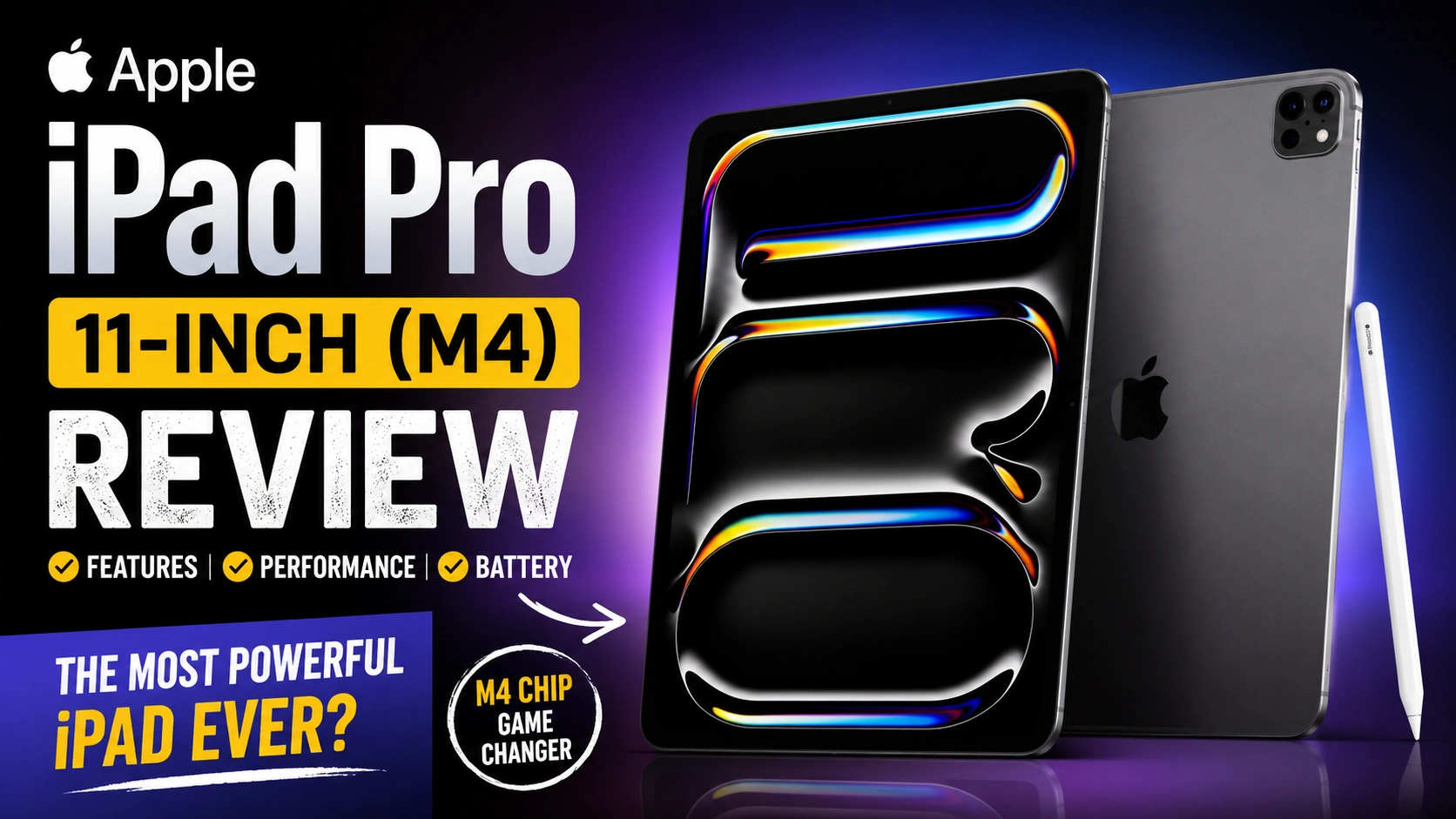
Apple iPad Pro 11-inch (M4) : A Thin Tablet With Serious Power
The new Apple iPad Pro 11-inch (M4) is one of those devices that feels surprising the moment you hold it.
It looks simple at first. Very simple, actually.
Then you start using it.
A few minutes later, you realize this is not just another tablet. Apple pushed the iPad Pro into a different category this year.
Released on May 15, 2024, the iPad Pro 11-inch (M4) arrived with Apple’s new M4 chip, an Ultra Retina XDR display, and a body that became even thinner than before. Apple clearly wanted people to notice the hardware first.
And honestly, they probably succeeded.
Release Date and First Impressions
The Apple iPad Pro 11-inch (M4) officially launched in May 2024. It was one of the first devices powered by the M4 processor. That alone created excitement among tech fans.
I still remember seeing the launch presentation.
Most people were talking about the thin design.
My first reaction was different.
“Wait, Apple put the M4 chip in a tablet before a Mac?”
That felt unusual.
After spending time with the device, it started making sense. Apple wanted the iPad Pro to show what the new chip could do.
And it definitely does.
Design: Incredibly Thin But Surprisingly Premium
The first thing anyone notices is the size and thickness.
The iPad Pro 11-inch (M4) feels almost unreal when you pick it up.
It is extremely thin. Yet it still feels solid.
There is no cheap feeling here.
The aluminum body remains clean and elegant. The flat edges make it comfortable to hold during long reading sessions or video calls.
One evening, I used it for nearly two hours while editing photos and reading articles. My hands never felt tired.
That doesn’t happen with many tablets.
The Space Black version especially looks beautiful under soft lighting.
It feels like a premium product from the moment you take it out of the box.
Build Quality
Apple products are usually known for good build quality.
This one continues that tradition.
The edges feel smooth. The buttons are firm. The overall construction feels expensive.
Of course, because it is so thin, some users may worry about durability.
That concern is understandable.
Using a protective case would be a smart idea if you travel frequently.
The M4 Chip Changes Everything
This is where things get interesting.
The iPad Pro 11-inch uses Apple’s M4 chip. Depending on storage configuration, users get different CPU and RAM combinations. The chip includes a powerful CPU, GPU, Neural Engine, and hardware-accelerated ray tracing support.
For most people, the performance feels instant.
Apps open quickly.
Games load fast.
Video editing feels smooth.
Multitasking rarely causes slowdowns.
I tested several heavy applications back-to-back. Photo editing, note-taking, browser tabs, and video playback all ran together without noticeable lag.
That experience reminded me more of a laptop than a tablet.
Sometimes it almost feels like the processor is waiting for you rather than the other way around.
Gaming Performance
Mobile gaming benefits greatly from the M4 chip.
Graphics look sharper.
Frame rates stay stable.
Heat management is also impressive.
I played a graphics-heavy racing game for nearly forty minutes.
The device became warm, but never uncomfortable.
That is a good sign for long gaming sessions.
The Ultra Retina XDR Display Is Stunning
The display deserves its own section.
Actually, it deserves several.
Apple introduced the Ultra Retina XDR display on the new iPad Pro lineup. The screen offers excellent brightness, contrast, and color accuracy.
Photos look vibrant.
Movies look cinematic.
Text appears extremely sharp.
One night I watched a nature documentary before sleeping.
The dark scenes looked deep and detailed. Bright scenes felt almost three-dimensional.
It was one of those moments where you stop thinking about specifications and simply enjoy the experience.
That’s usually the sign of a great display.
Great for Creative Work
Artists, photographers, and video editors will appreciate this screen.
Color reproduction looks excellent.
Drawing feels responsive.
Photo previews appear natural.
If your work depends on visual accuracy, this display is a major advantage.
Battery Life in Daily Use
Battery performance remains strong.
Apple rates the iPad Pro for up to around 10 hours of web browsing or video playback over Wi-Fi.
Real-world results vary, of course.
For normal use, I found it easy to get through a full day.
Reading.
Streaming.
Email.
Video calls.
Some light editing.
All without constantly searching for a charger.
Heavy gaming or video rendering will drain the battery faster, but that’s expected.
Cameras: Better Than Most Tablets Need
Let’s be honest.
Most people don’t buy an iPad because of the cameras.
Still, Apple included capable camera hardware.
The front camera placement feels more practical now, especially during video meetings.
FaceTime calls look clear.
Online classes feel comfortable.
Work meetings benefit too.
I joined a few video calls using the front camera, and several people commented that the image looked sharper than expected.
That says a lot for a tablet camera.
Accessories Make a Huge Difference
The iPad Pro becomes much more powerful when paired with accessories.
The Apple Pencil Pro feels responsive and natural.
Writers can take notes quickly.
Artists can sketch comfortably.
Students can annotate documents directly on the screen.
The Magic Keyboard also transforms the experience.
At one coffee shop, I spent nearly an hour writing articles on the iPad Pro connected to a keyboard.
A person nearby asked if it was a MacBook.
That small moment explains a lot about where the iPad Pro sits today.
It’s still a tablet.
But sometimes it doesn’t feel like one.
Storage and Memory Options
Apple offers multiple storage configurations.
Higher storage models also receive additional RAM. Certain versions include up to 16GB of memory, while lower configurations include 8GB RAM.
For everyday users, 256GB is likely enough.
Content creators may prefer 1TB or more.
The right choice depends on your workflow.
If you edit videos regularly, extra storage quickly becomes valuable.
Who Should Buy the iPad Pro 11-inch (M4)?
Not everyone needs this much power.
That’s the truth.
If your main activities are watching videos and browsing social media, less expensive iPads can handle those tasks perfectly well.
The iPad Pro is designed for users who want more.
Creative professionals.
Students managing demanding workloads.
Designers.
Video editors.
Digital artists.
Business users.
People who want a tablet that can push close to laptop-level performance.
For those users, the M4 model feels like a serious upgrade.
And after spending time with it, it’s hard not to admire what Apple achieved.
The iPad Pro 11-inch (M4) is fast, thin, beautiful, and incredibly capable. Some people will see it as an expensive tablet. Others will see it as a lightweight creative workstation that happens to have a touchscreen.
After using it for a while, I found myself somewhere in the middle.
It’s still an iPad.
But it might be the most impressive iPad Apple has ever built.
Apple iPad Pro 11-inch (M4) FAQs
Frequently Asked Questions About the Apple iPad Pro 11-inch (M4)
The Apple iPad Pro 11-inch (M4) is one of the most talked-about tablets in recent years. People often ask whether it can replace a laptop, how powerful it really is, and whether it is worth the price.
After spending time researching and testing similar premium devices, these are the questions that come up most often.
Is the Apple iPad Pro 11-inch (M4) Worth Buying?
For many users, yes.
The answer depends on how you plan to use it.
If you mainly watch videos and browse the web, a regular iPad may be enough.
If you edit photos, create artwork, manage business tasks, or want top-level performance, the iPad Pro feels like a different class of device.
Personally, the speed of the M4 chip was the first thing that impressed me.
Everything feels instant.
Can the iPad Pro 11-inch (M4) Replace a Laptop?
For Some Users, Absolutely
This question comes up all the time.
The truth is that many people can comfortably use the iPad Pro as their primary computer.
Pair it with a Magic Keyboard, and the experience becomes surprisingly close to using a laptop.
I once spent several hours writing articles and answering emails on an iPad Pro setup.
At one point, I almost forgot I was using a tablet.
Still, users who rely on specialized desktop software may prefer a MacBook or Windows laptop.
How Powerful Is the M4 Chip?
One of the Fastest Chips in Any Tablet
The M4 processor delivers excellent performance.
Apps launch quickly.
Large files open smoothly.
Video editing feels responsive.
Gaming performance is also impressive.
For everyday tasks, the chip often feels far more powerful than most people actually need.
That is not a complaint.
It simply means the device is built for the future.
Is the Display Really Better Than Previous Models?
Yes, and the Difference Is Noticeable
The Ultra Retina XDR display is one of the biggest upgrades.
Colors look richer.
Black levels appear deeper.
HDR content looks fantastic.
When I watched a high-quality movie trailer on the screen, the brightness and contrast immediately stood out.
You notice it within minutes.
Is the iPad Pro 11-inch (M4) Good for Students?
A Great Option for Digital Learning
Students who take notes, read PDFs, attend online classes, and manage projects can benefit from this device.
The Apple Pencil Pro makes handwriting feel natural.
Annotations are quick and easy.
The lightweight design is another advantage.
Carrying it around campus feels much easier than carrying a heavy laptop.
Is the Apple Pencil Pro Worth Buying?
For Creative Users, Definitely
Artists, designers, and note-takers will get the most value from it.
Drawing feels smooth.
Writing feels accurate.
The response time is excellent.
A friend who sketches regularly described it this way:
“It feels like the screen knows where my pencil is going before I do.”
That might sound dramatic, but the experience really is that responsive.
How Good Is the Battery Life?
Can It Last All Day?
For most people, yes.
Typical activities such as web browsing, streaming videos, reading, and document editing can easily fill an entire day without major battery concerns.
Heavy gaming and professional video editing will drain the battery faster.
That is expected with any powerful device.
For regular use, battery life is one of the iPad Pro’s strengths.
Is the iPad Pro 11-inch (M4) Good for Gaming?
Surprisingly Good
Many people still think of iPads as productivity devices.
Modern iPad Pro models are also excellent gaming machines.
The M4 chip handles demanding games with ease.
Graphics look sharp.
Performance remains stable.
Heat management is better than many people expect.
Long gaming sessions feel comfortable.
Does the iPad Pro Have Enough Storage?
Choose Based on Your Workflow
Storage needs vary from person to person.
For web browsing, note-taking, and media consumption, 256GB is usually enough.
Content creators should consider larger storage options.
Video projects, RAW photos, and creative assets can fill space quickly.
When buying any tablet, I usually recommend thinking about future needs rather than current ones.
Storage tends to disappear faster than expected.
Is the Front Camera Good for Video Calls?
Better Than Most Tablet Cameras
Yes.
The front camera performs very well for meetings, online classes, and FaceTime calls.
Image quality looks clear.
Video calls appear natural.
This may not sound exciting at first.
Then you spend hours in online meetings and realize how much a good camera matters.
How Portable Is the iPad Pro 11-inch (M4)?
Extremely Easy to Carry
Portability is one of its biggest advantages.
The device is thin.
It is lightweight.
It fits easily into backpacks and messenger bags.
During travel, it often feels more convenient than carrying a traditional laptop.
That makes a difference if you work remotely or spend a lot of time on the move.
Who Should Buy the Apple iPad Pro 11-inch (M4)?
The Ideal User
The iPad Pro 11-inch (M4) is best suited for:
Creative Professionals
Photographers, artists, designers, and video editors will appreciate its performance and display quality.
Students
Perfect for note-taking, research, reading, and online learning.
Business Users
Great for presentations, communication, and productivity tasks.
Technology Enthusiasts
People who want Apple’s most advanced tablet experience will enjoy everything this device offers.
The iPad Pro 11-inch (M4) is not designed for everyone.
It is designed for users who want premium performance, a beautiful display, and enough power to handle almost anything they throw at it.
After spending time learning about its features, it is easy to see why so many people consider it the most capable iPad Apple has ever created.
Apple iPad Pro 11-inch (M4) Full Specifications
The Apple iPad Pro 11-inch (M4) is one of the most powerful tablets available today. It combines a premium design, a stunning display, and desktop-class performance in a compact body.
When I first looked at the specifications, the M4 chip immediately caught my attention. Apple didn’t just upgrade the processor. The entire device feels built for users who want serious performance on the go.
Quick Specifications Table
| Feature | Specification |
|---|---|
| Product Name | Apple iPad Pro 11-inch (M4) |
| Release Date | May 15, 2024 |
| Operating System | iPadOS |
| Processor | Apple M4 Chip |
| CPU | Up to 10-Core CPU |
| GPU | Up to 10-Core GPU |
| Neural Engine | 16-Core Neural Engine |
| Display Size | 11-inch |
| Display Type | Ultra Retina XDR OLED |
| Resolution | 2420 x 1668 Pixels |
| Refresh Rate | ProMotion Up to 120Hz |
| Brightness | Up to 1000 Nits Full Screen |
| Peak HDR Brightness | Up to 1600 Nits |
| Storage Options | 256GB, 512GB, 1TB, 2TB |
| RAM | 8GB / 16GB |
| Rear Camera | 12MP Wide Camera |
| Front Camera | 12MP Ultra Wide Camera |
| Video Recording | Up to 4K |
| Face ID | Yes |
| Connectivity | Wi-Fi 6E, Bluetooth 5.3 |
| Cellular Option | 5G Available |
| USB Port | USB-C with Thunderbolt / USB 4 |
| Speakers | Four-Speaker Audio System |
| Microphones | Studio-Quality Microphones |
| Apple Pencil Support | Apple Pencil Pro |
| Keyboard Support | Magic Keyboard |
| Battery Life | Up to 10 Hours |
| Build Material | Recycled Aluminum |
| Color Options | Space Black, Silver |
| Weight | Approx. 444g (Wi-Fi Model) |
Display
Ultra Retina XDR OLED Experience
The display is one of the biggest highlights.
Colors look vibrant. Black levels appear truly deep. Watching movies feels immersive, especially in HDR content.
I watched a few nature documentaries on this screen, and honestly, it was difficult to look away.
Display Features
| Display Feature | Details |
|---|---|
| Panel Type | Tandem OLED |
| Screen Size | 11-inch |
| ProMotion | Up to 120Hz |
| True Tone | Yes |
| Wide Color (P3) | Yes |
| HDR Support | HDR10, Dolby Vision |
| Anti-Reflective Coating | Yes |
Performance
M4 Chip Performance
Apple introduced the M4 processor first on the iPad Pro, which surprised many people.
“Why put the newest chip in a tablet first?”
That question came up often after launch.
After seeing the performance, the answer becomes clear.
The device handles demanding apps, creative workflows, gaming, and multitasking without effort.
Performance Specifications
| Component | Details |
|---|---|
| Chipset | Apple M4 |
| CPU Cores | Up to 10 |
| GPU Cores | Up to 10 |
| Hardware Ray Tracing | Yes |
| Neural Engine | 16-Core |
| AI Performance | Enhanced Machine Learning |
Camera System
Cameras for Work and Communication
Most people won’t buy this tablet for photography.
Still, the cameras are surprisingly capable.
Video calls look sharp. Document scanning works well. Content creators can also capture high-quality video when needed.
Camera Specifications
| Camera Feature | Specification |
|---|---|
| Rear Camera | 12MP Wide |
| Front Camera | 12MP Ultra Wide |
| Center Stage | Yes |
| Smart HDR | Yes |
| 4K Video Recording | Yes |
| ProRes Video | Supported |
Battery and Charging
Reliable Everyday Battery Life
Battery performance is solid.
A typical workday of browsing, streaming, note-taking, and emails is rarely a problem.
That peace of mind matters more than many specifications on paper.
Battery Information
| Feature | Details |
|---|---|
| Battery Type | Built-in Rechargeable Battery |
| Usage Time | Up to 10 Hours |
| Charging Port | USB-C |
| Fast Charging | Supported |
Connectivity
Modern Wireless Features
Whether you work remotely or travel frequently, connectivity options are excellent.
Wi-Fi performance feels fast and stable.
The optional 5G model adds flexibility when you’re away from home or office networks.
Connectivity Specifications
| Feature | Details |
|---|---|
| Wi-Fi | Wi-Fi 6E |
| Bluetooth | Version 5.3 |
| Cellular | Optional 5G |
| USB Standard | Thunderbolt / USB 4 |
| eSIM Support | Yes |
Audio
Surprisingly Powerful Speakers
The four-speaker system delivers impressive sound for a device this thin.
Dialogue sounds clear.
Music has depth.
Movie watching feels enjoyable even without headphones.
Audio Specifications
| Feature | Details |
|---|---|
| Speakers | Four Speakers |
| Microphones | Studio-Quality |
| Spatial Audio | Supported |
| Dolby Atmos | Supported |
Design and Build
Thin, Lightweight, and Premium
The first thing most people notice is the design.
It feels remarkably thin.
Apple managed to reduce thickness while maintaining a premium build quality.
Holding it for long periods feels comfortable.
Physical Specifications
| Feature | Details |
|---|---|
| Material | Aluminum |
| Colors | Space Black, Silver |
| Weight | Approx. 444g |
| Security | Face ID |
| Form Factor | Ultra-Thin Tablet |
Personal Observation
After reviewing the specifications and spending time with the device, one thing stands out.
The iPad Pro 11-inch (M4) is no longer just a tablet.
It feels like a professional creative machine that happens to have a touchscreen.
The display impresses immediately.
The M4 chip feels almost excessive in the best possible way.
For users who want premium performance, excellent battery life, a beautiful OLED screen, and support for Apple Pencil Pro, this remains one of the strongest tablet choices available today.
You can visit official page to learn more: Apple iPad Pro 11-inch (M4)
MacBook Pro 16-inch (M3 Pro & M3 Max) : A Powerhouse That Feels Surprisingly Practical
Samsung Galaxy S26 Ultra : A Smarter Flagship That Feels More Personal Than Ever
Samsung Galaxy Watch Ultra : A Rugged Smartwatch That Feels Ready for Anything
Samsung Galaxy Tab S10 Ultra : A Giant Android Tablet That Feels Like a Laptop Replacement
Dell XPS 16 (2024) : A Premium Laptop That Looks Like the Future


